

The skein console
A web UI for a running skein server: assistants, threads, live runs, channel wiring and deliveries, interrupts, time travel, the store, and crons. Served by the server itself, at
/console.
What it is
The console is a client and stores nothing of its own. Most screens use the standard Agent Protocol through the real @langchain/langgraph-sdk. Two small skein extensions cover operational state the upstream SDK does not model: a sanitized channel inventory and a run's durable delivery attempts. The console subclasses the SDK's transport for these calls, so connection, authentication, retries and errors still behave like the rest of the client.
That is a deliberate constraint, not a coincidence. If a view cannot be built, it means the API is missing something, and we would rather feel that here than paper over it with a bespoke endpoint. (One gap found exactly this way: there is no cross-thread run search — runs list per thread — so "recent activity" fans out over threads. See roadmap.)
It ships as @skein-js/console: the compiled UI plus a resolver, with no runtime dependencies.
Running it
skein dev serves it by default and prints the URL:
skein · Agent Protocol dev server

API      http://127.0.0.1:2024
Console  http://127.0.0.1:2024/console/
Docs     https://github.com/skein-js/skein-js/tree/main/docs
Pass --no-console to leave it out.
Because it is served by the server, it is same origin: no CORS to configure, no second process, no account, and it works with no internet connection.
Turning it on in production
Off by default under skein start and the production image. The console can read every thread, memory and schedule on the server, and delete runs, memories and schedules, so enabling it is a decision you make:
{
  "http": {
    "console": true, // serve at /console
    // or: "console": "/admin/console"  — any path but "/"
  },
}
Requests from the console go through the same auth path as any other client; there is no bypass. On a server with custom auth, use the console's connection control (top right) to supply an API key — it is sent as x-api-key and held in localStorage, since a static bundle has no server of its own to set a cookie.
Two things worth knowing before you enable it on a public host:
- The assets are served unauthenticated (they are a UI shell; every byte of data behind them is authorized). If that is not acceptable, put the mount path behind your ingress' own auth.
http.consoleis honoured by the Express transport, which isskein start's Node runtime. On Bun/Deno the flag logs a warning and does nothing — mount it yourself (below).
What it shows
Seven tabs, plus three views that live inside them rather than in the nav — runs open from a thread, and interrupts and time travel are panels on the thread and playground.
| View | What it is for |
|---|---|
| Playground | Pick a graph and run it: a chat transcript for graphs with a messages channel, a JSON editor for everything else. Streams live, and surfaces interrupts inline. This is the landing page. |
| Overview | Waiting for you (threads parked on interrupt(), linking straight to the filtered list), counts, recent threads, and the GET /info capability handshake. |
| Assistants | Every registered graph, its schemas, its graph JSON, its version history. Read-only. |
| Threads | Filter by status (#/threads?status=interrupted is a shareable link); per thread: state, runs, checkpoints, and pending interrupts. |
| Runs | Live SSE tail, delivery status and safe replay controls, cancel, rollback, delete. Works on finished runs too. |
| Channels | The effective inbound routes, provider identity, graph routing allowlist, and outbound support that booted from skein.channels. Read-only. |
| Interrupts | The "Waiting for you" panel: approve, reject, or resume with any JSON value. |
| Time travel | Open a past checkpoint, edit its state, fork it, and run forward — from the fork or from the original. |
| Store | Namespace listing by prefix, item search with a filter and semantic query, delete. |
| Crons | Schedules with their next occurrence, pause/resume, create, delete. |
Opening the console lands on the playground, because the first question anyone has about a server is whether their graph works; everything else answers a question you only have later.
Routing is on the URL hash (#/threads/abc), so deep links never reach the server and the console needs no SPA history fallback on any adapter. An unknown route renders a "no such view" page rather than a blank one.
The playground
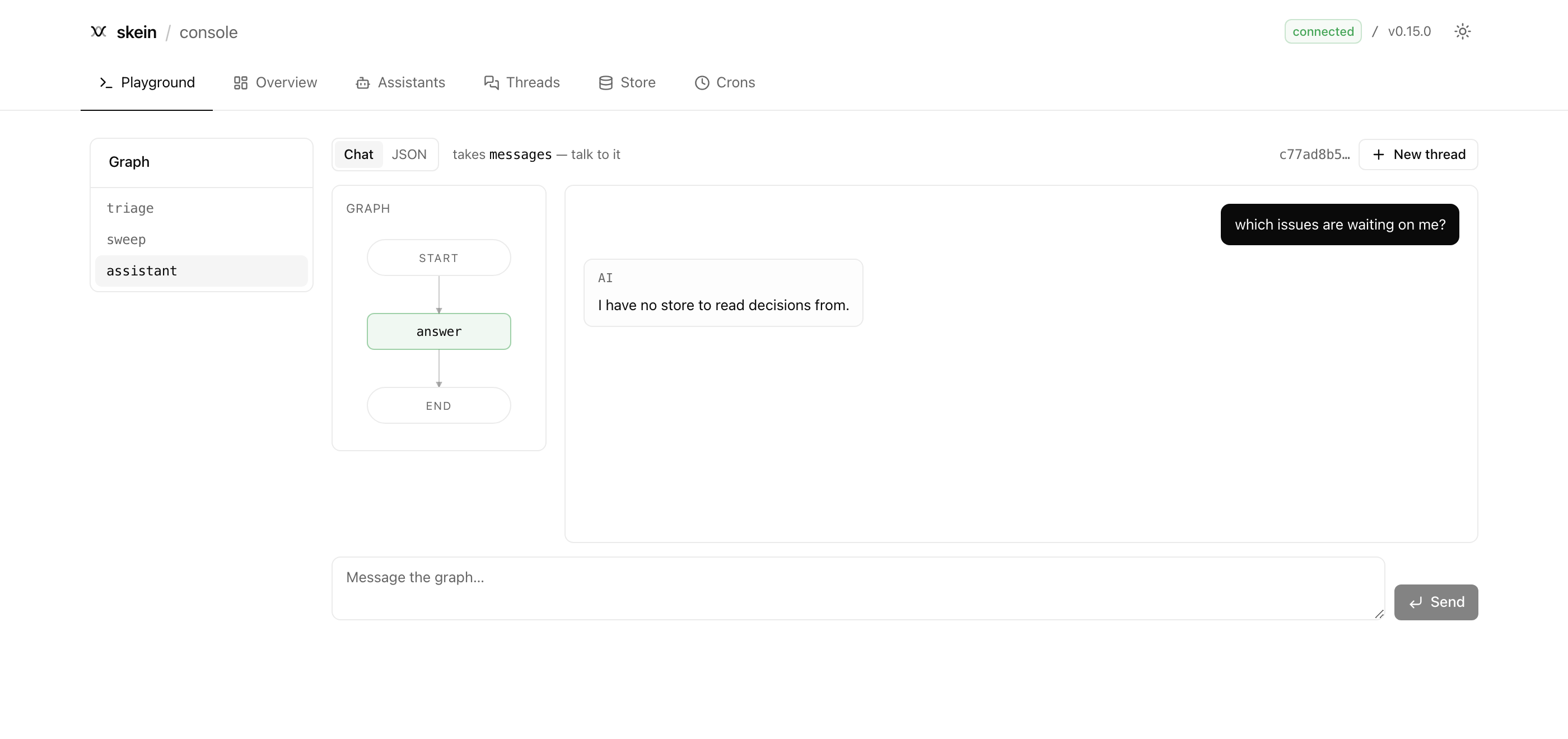
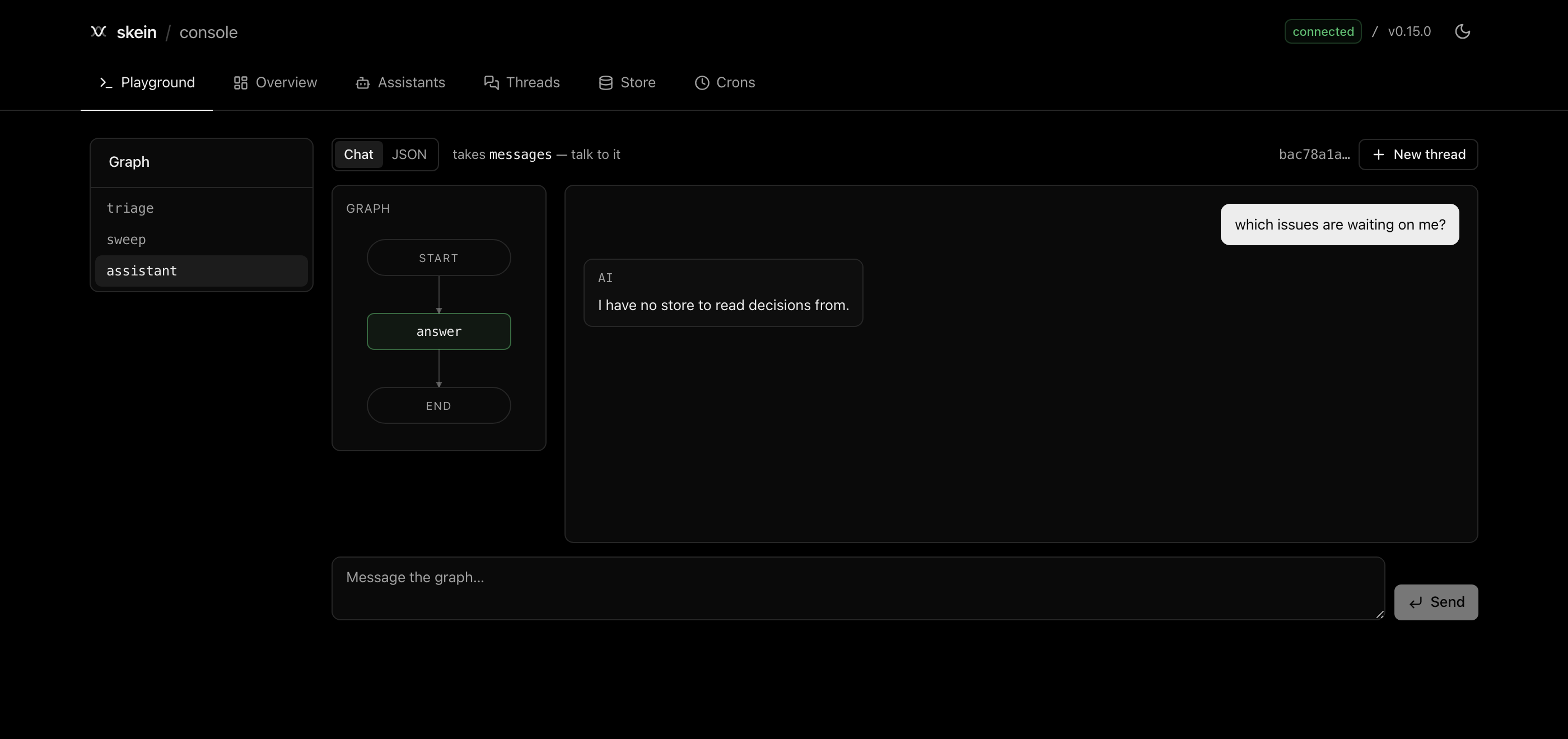
Three things are happening in that screenshot.
The mode picked itself. The console reads GET /assistants/:id/schemas and offers Chat only when the graph has a messages channel. For a graph that takes structured input the Chat tab is disabled with the reason on hover, and the JSON editor opens pre-filled with a type-correct sample built from the graph's own input schema — $ref, anyOf and enum resolved — so you are editing a template rather than guessing the shape. Each mode keeps its own draft.
The diagram is live. Nodes light up as updates frames arrive and stay shaded once visited, and conditional edges are dashed. It is the graph the server reports, not a drawing, so it is a useful check that the server loaded what you think it did. (It appears on wide viewports, and only here — the Assistants tab shows the same graph as JSON.)
Stop actually stops it. The stream is opened with onDisconnect: "cancel", so the button cancels the run server-side rather than just closing your eyes. The thread is created lazily on the first send and tagged metadata.source = "console-playground", which is how you tell your own traffic from the console's later.
Overview
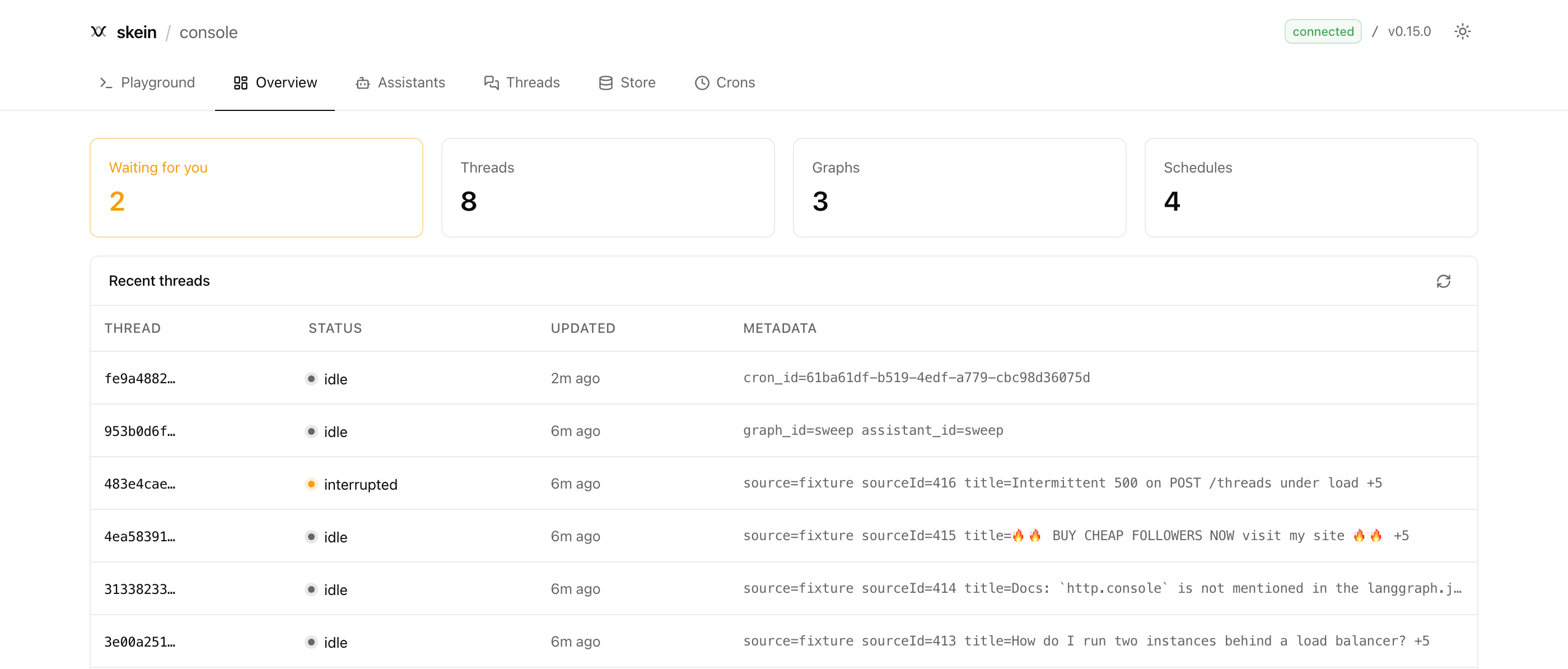
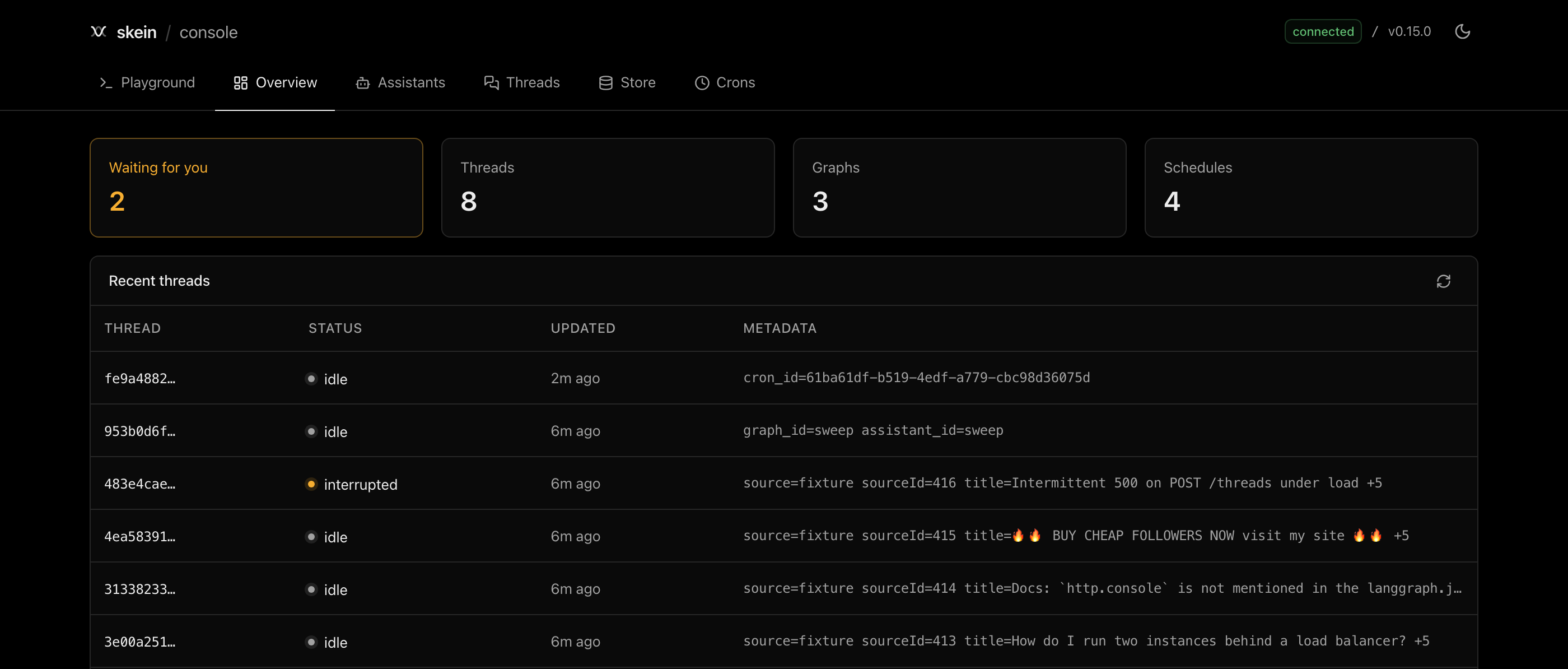
The counts come from the dedicated count endpoints rather than from the length of a page, so "1,204 threads" means 1,204. Waiting for you is the one that changes how you work: it is a threads.count({ status: "interrupted" }), and it links to the filtered list.
Threads, and what is waiting on you
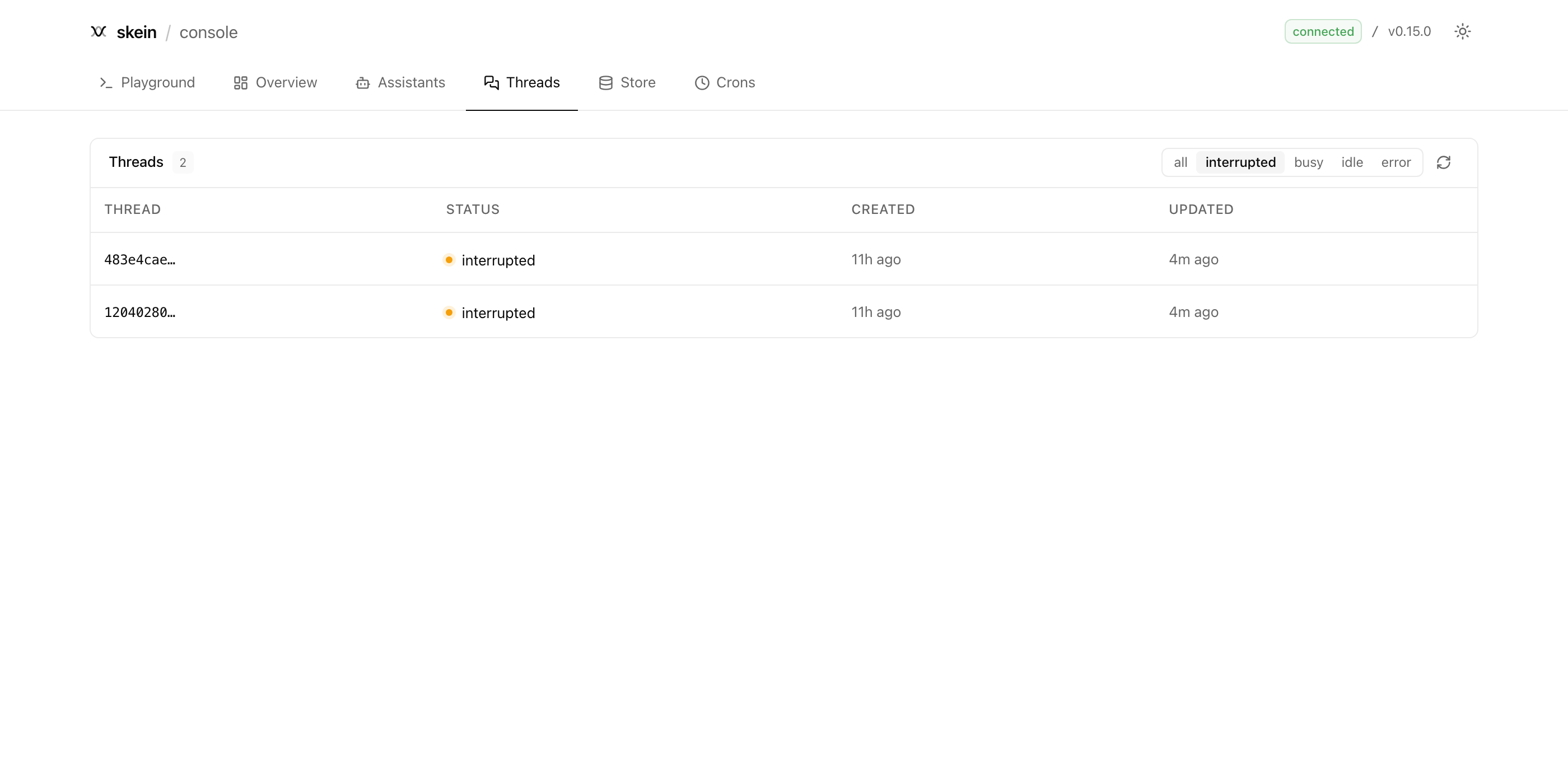
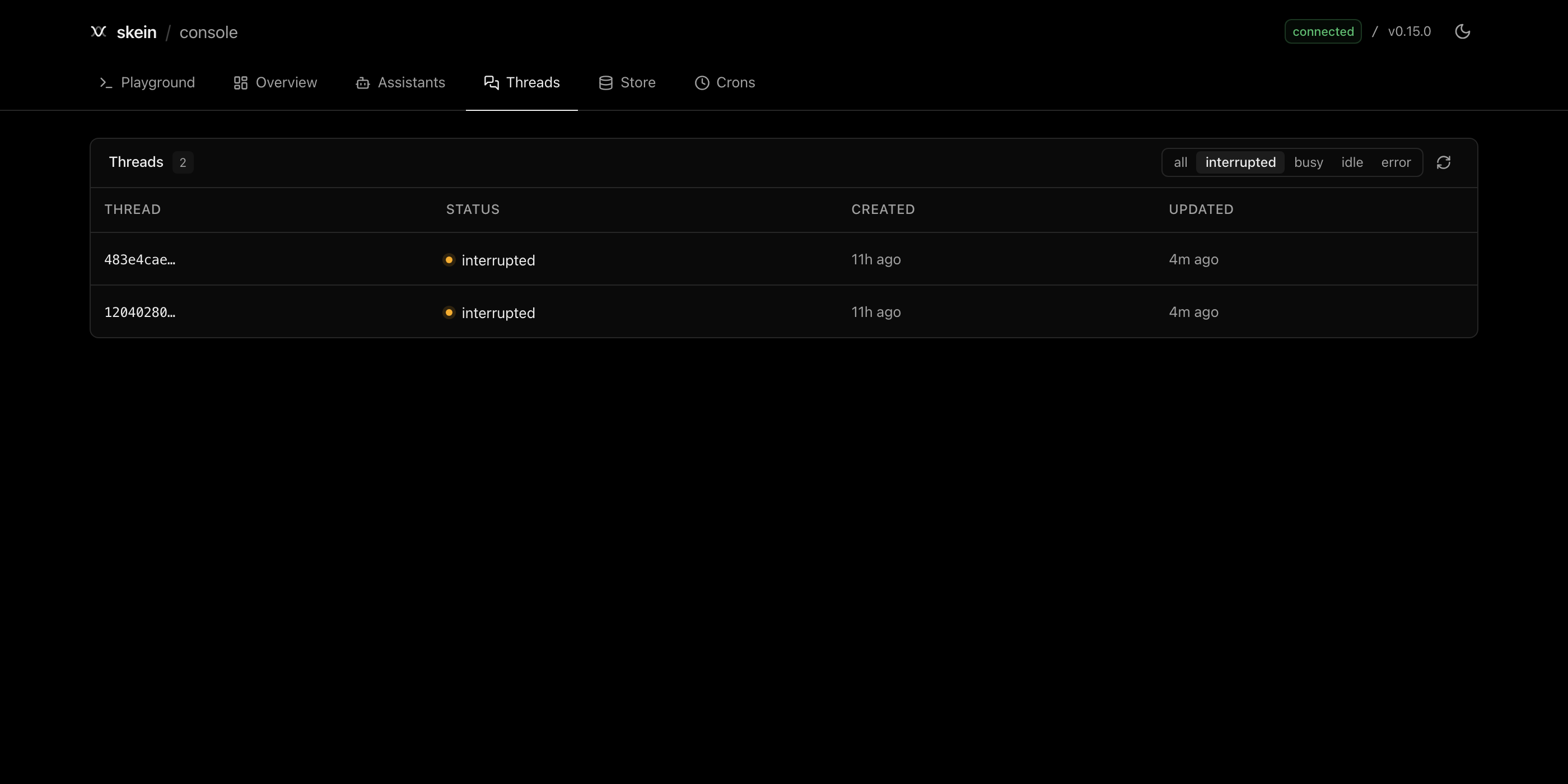
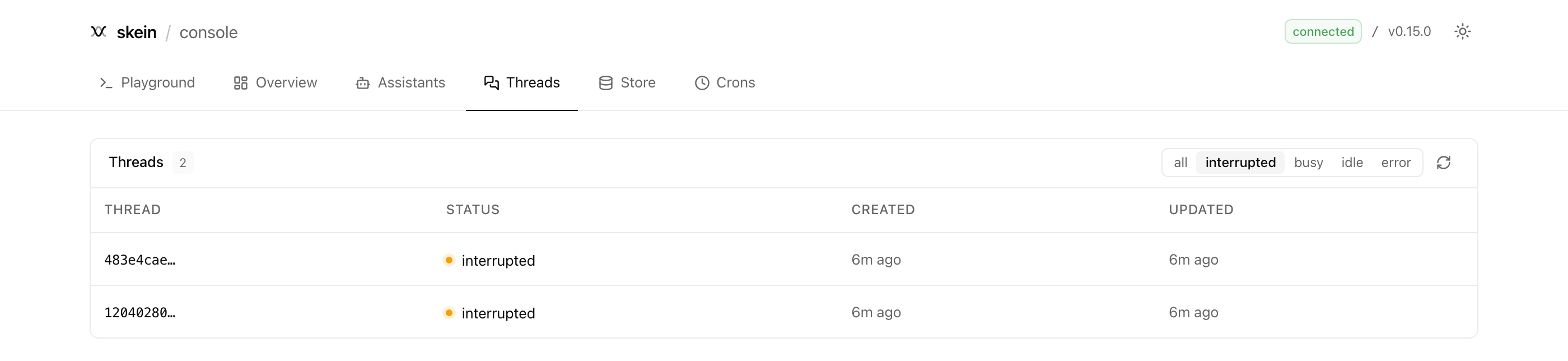
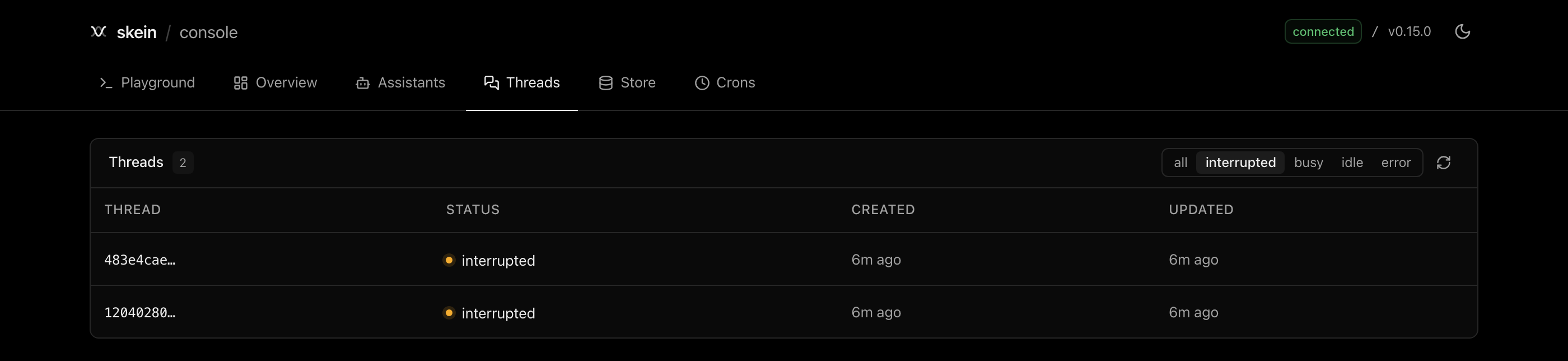
Five status filters — all, interrupted, busy, idle, error — and the filter lives in the URL, so #/threads?status=interrupted is a link you can paste to someone. An unrecognised status falls back to all.
Open a thread and the interrupt panel is the first thing on it:
Approve and Reject resume with literal true and false. The free-text box resumes with whatever you type, parsed as JSON when it parses and passed as a plain string when it does not — so both approve and "approve" do what you meant. The assistant is inferred from the thread's most recent run; a thread with no runs cannot be resumed from here and says so.
Runs
A run page tails the SSE stream, and works on runs that finished hours ago because the server replays what it persisted. Watching is non-destructive — the console joins with cancelOnDisconnect: false, so closing the tab never cancels somebody's run.
The buffer holds the most recent 500 frames and tells you when it dropped earlier ones rather than silently truncating. Each frame collapses to one line; click to expand the payload. Cancel and Rollback are enabled only while the run is in flight, Delete only when it is not.
The Deliveries panel tracks every durable callback the run created: lifecycle status, attempt count, last error, next retry, and timestamps. A dead delivery can be replayed after confirmation; the console then reloads the server's list rather than trusting an optimistic state. Delivery is at-least-once, so the receiver must deduplicate by the stable delivery id.
Destination display is deliberately redacted. For HTTP callbacks it shows only the host and whether a non-root path exists; webhook paths, queries and userinfo often are credentials. For a channel reply it shows the channel name but never its opaque reply target.
Channels
The Channels tab answers “what did this server actually mount?” It reads GET /channels, which only exists when skein.channels configured at least one route, and shows:
- the
POST /channels/{route_name}path to give a provider; - the channel's provider identity and default assistant;
- the bounded
allowed_assistantsrouting set; and - whether the channel implements outbound delivery.
It is an inventory, not an editor: langgraph.json and the channel module remain the source of truth, and changes take effect after restart. Module paths, public_url, provider credentials and raw configuration are never returned. With custom auth, the inventory uses assistants:read; inbound provider requests continue to authenticate through the channel's own signature verification.
To test the whole flow, send a real or fixture provider event to the copied inbound path, open the thread and run it created, then inspect Deliveries. That keeps source routing and destination tracking connected without pretending they are the same concern.
Time travel
Every checkpoint is addressable, and the checkpoint panel gives you three separate things to do, which are easy to conflate:
| Action | What it does |
|---|---|
| Fork here | Writes your edited values to a new checkpoint. Nothing runs. |
| Fork and run | Writes the edit, then runs forward from the fork. |
| Run from here unchanged | Runs forward from the original checkpoint. No write, no edit. |
A note on editing state at a checkpoint: values you write go through the graph's reducers. A channel that appends (a message list, say) will add what you write rather than replace it. The console says so inline, because this surprises everyone once.
The store
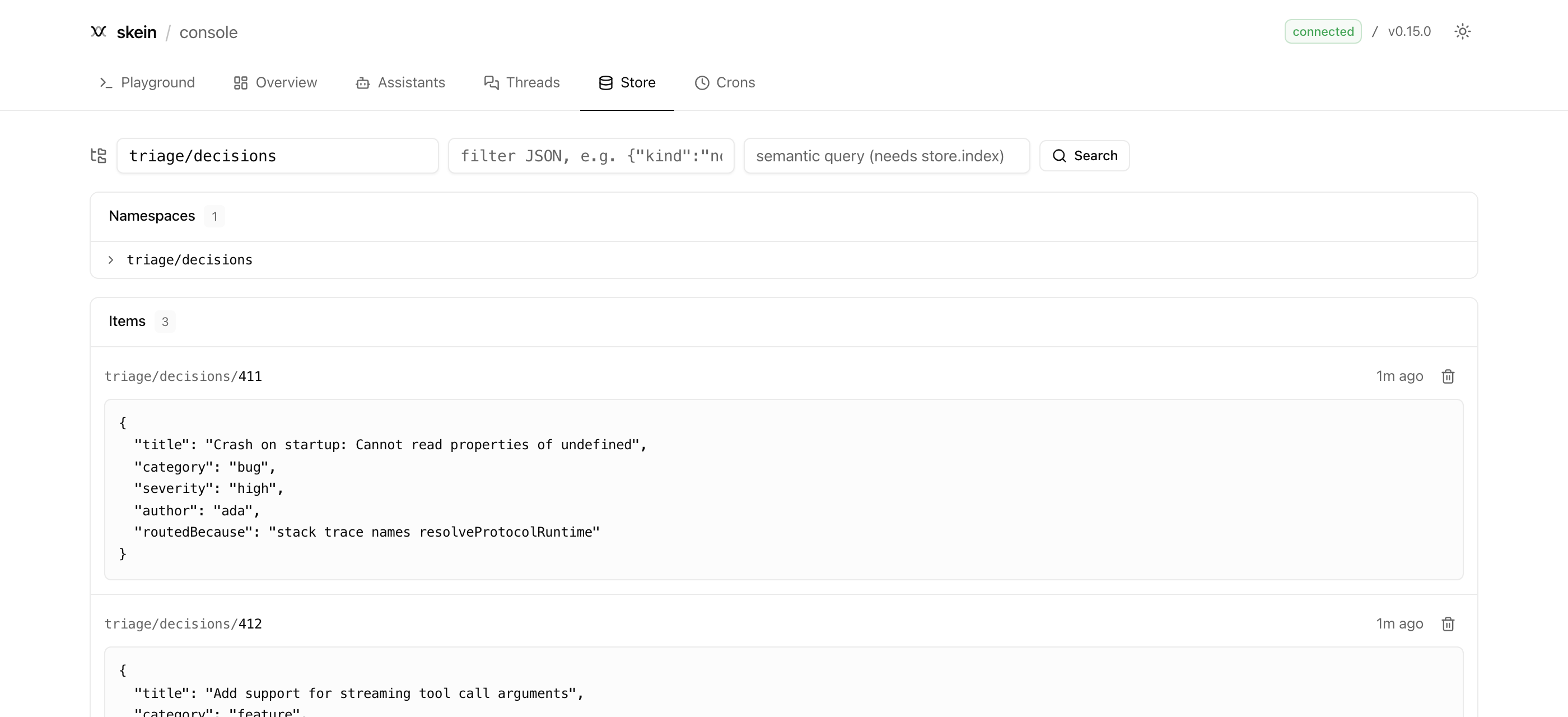
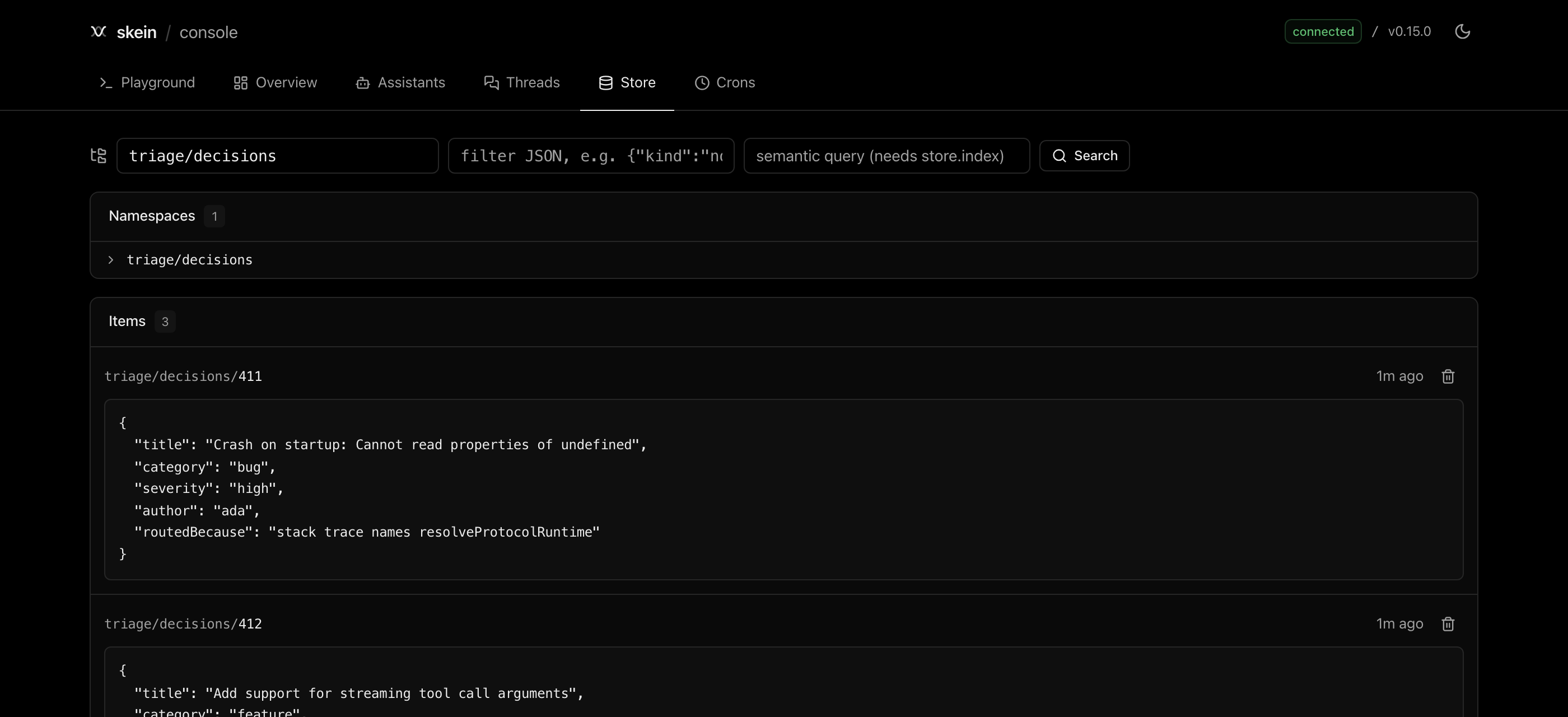
Search by namespace prefix, narrow with a filter (a JSON object matched against item values), and if the store is index-backed, rank by semantic query. Items show their key, value, last-updated time and — for a semantic search — the similarity score. Clicking a namespace drills into it.
The search applies on submit rather than per keystroke, and invalid filter JSON tells you so with an example instead of returning nothing.
Crons
Schedules with their assistant, expression, timezone, target thread (or stateless), and next occurrence. Pause and resume without deleting, which is the fastest way to stop a noisy schedule while you look at it.
The next-occurrence column counts forwards — in 2h, in 3d, in 14mo — and names the states a schedule can be in: paused when it is disabled, and no upcoming run when it is enabled but its expression will never fire again. That last one is the case the column exists for; it otherwise looks identical to a healthy schedule. A schedule already past due but not yet fired reads in the other direction (2m ago) — brief while a tick is pending, and a sign the scheduler is stuck if it grows.
Creating one takes an assistant, a 5-field expression and an input. Sub-minute schedules are a deliberate non-goal, and the form says so rather than failing at submit.
What it deliberately does not do
The console is a window onto a running server, not an admin tool, and a few of its limits are worth knowing before you reach for it:
- Nothing refreshes itself. Every list loads on mount and has a Refresh button; only the run stream is live. A console that polls is a console that lies about when it last looked.
- Lists are capped and there is no pagination — 50 threads, 50 runs, 20 checkpoints, 100 assistants, 100 schedules. Past that, use the API.
- Replay confirms; deletes do not. Replaying may duplicate an external side effect, so it asks first. Deleting a run, schedule or store item still happens on the click.
- It is read-mostly. It cannot create or edit assistants, write store items, copy or prune threads, or roll an assistant back to an earlier version — all of which the API supports. What is missing is tracked in the issues.
Mounting it yourself
The console is route bindings and bytes, so any adapter can serve it. It is not a dependency of the adapters on purpose — the compiled UI is about 956 KiB, and mounting the protocol should not cost that.
import { consoleAssetHeaders, resolveConsoleRequest } from "@skein-js/console";

// Express, Fastify, Hono, a Fetch handler — the shape is the same.
app.use((req, res, next) => {
  if (req.method !== "GET" && req.method !== "HEAD") return next();
  const resolution = resolveConsoleRequest(req.path, { mountPath: "/console" });
  if (resolution.kind === "miss") return next();
  if (resolution.kind === "redirect") return res.redirect(302, resolution.location);
  res.set(consoleAssetHeaders(resolution.asset));
  return res.status(200).send(Buffer.from(resolution.asset.bytes));
});
Two rules the resolver enforces so you do not have to:
- A bare mount path redirects to its slashed form. Assets are referenced relatively (so one build works at any mount point); at
/consolethe browser would resolve them against the parent directory. - An unknown path is a
miss, not a fallback toindex.html. Hash routing means a real deep link never arrives, so answering 200-with-HTML would only turn a broken asset reference into a blank page.
The SPA derives the API base by dropping the last segment of its own path: /console/ → /, /api/console/ → /api. Mount it at <api-base>/console and it finds the server with no configuration. To point it somewhere else entirely, append ?baseUrl=https://your-deployment (the choice is remembered), which is also how you would host the bundle statically.
How it is built
The UI is a static Vite + React SPA (shadcn/ui, light/dark with a system-aware toggle), built by the console-ui Nx project. nx serve console-ui is the HMR dev loop.
nx build console then chains: build the SPA → compile its files into src/assets.generated.ts as string constants → bundle. That last step is why the package can be a library: skein forbids reading package-relative files at runtime, because bundlers rewrite import.meta.url to the output location (see bundling.md). @skein-js/storage-postgres solved the same problem for its SQL; the console does it for HTML, JS and CSS. A test pins the total size so the CLI's install cost cannot drift upward unnoticed.